Perfect Size Photos & Signatures for Every Exam Portal.
Say goodbye to exam registration portal rejections! Crop, resize, and compress your document photos to exact KB limits (<20KB, <50KB, <100KB) and pixel dimensions instantly for UPPSC, SSC CGL/CHSL, IBPS, SBI PO, Railway RRB, NEET & UPSC forms.

Instant Online Photo & Signature Resizer
Resize, crop, and compress your images directly in your browser. No files are ever sent to a server — all processing happens securely on your device!
Image Specifications
On-Device CanvasDrop photo or signature here
or click to browse from device
JPG, PNG, WEBPReal-Time Output Preview
Ready to ProcessUpload an image to start resizing
Output preview with exact KB measurement will appear here

Need Offline & Batch Resizing on Phone?
Download the official FotoFit Android App on Google Play for offline zero-internet security, batch resizing & custom preset saving!
Exam Photo & Signature Cheat Sheet
Quick reference table for major competitive exams. Verified against official notifications for UPPSC, SSC, IBPS, SBI, Railway & UPSC.
| Exam / Portal | Photo Dimensions (px) | Photo KB Limit | Signature Dimensions | Signature KB Limit | Special Rules | Action |
|---|---|---|---|---|---|---|
|
UPPSC (State PSC)
UPPSC Portal
|
350 × 450 px |
< 50 KB | 350 × 150 px |
< 20 KB | Light background, crisp signature | |
|
SSC CGL / CHSL / MTS
SSC.GOV.IN
|
200 × 230 px |
20 - 50 KB | 140 × 60 px |
10 - 20 KB | No spectacles, no cap, frontal face | |
|
IBPS PO / Clerk / SO
IBPS Portal
|
200 × 230 px |
20 - 50 KB | 140 × 60 px |
10 - 20 KB | Black ink on clean white sheet | |
|
SBI PO / Clerk / SO
SBI Careers
|
200 × 230 px |
20 - 50 KB | 140 × 60 px |
10 - 20 KB | Left thumb 240×240 px (<50KB) | |
|
Railway RRB NTPC / Group D
RRB Portal
|
320 × 400 px |
30 - 70 KB | 140 × 60 px |
10 - 30 KB | Plain white background mandatory | |
|
Indian Passport / Visa
Passport Seva
|
350 × 450 px |
< 100 KB | 280 × 100 px |
< 50 KB | 35mm × 45mm, 70-80% face coverage |
Popular Exam Portal Presets
Browse preloaded dimension and KB rules. Click "Apply to Resizer" on any card to load specifications instantly!
How to Resize Your Exam Photo in Seconds
Follow these three simple steps to produce 100% compliant photos that pass automated portal validation checks.
Upload Document
Select your original passport photo, handwriting declaration, or signature in JPG, PNG, or WEBP format.
Choose Preset or KB
Pick your target exam preset (e.g. UPPSC, SSC, IBPS) or dial in custom pixel dimensions and maximum KB limits.
Instant Download
FotoFit compresses and crops locally with binary search precision. Download your sharp, lightweight photo ready for upload!
Engineered Specifically for Govt Applicants
Every tool you need to ensure your passport photos, thumb impressions, and signatures pass government portal checks on the first try.
Exact Target Size Compression
Compress photos to strict upper boundaries (e.g. strictly under 20KB, 50KB, or 100KB) without blurry pixelation or artifacts.
Precise Pixel Dimensions
Enlarge or shrink images to exact pixel specifications (e.g. 350×450 px, 200×230 px, 140×60 px) required by application guidelines.
Smart Aspect Ratio Locking
Prevent distortion, squishing, and unnatural face stretching with built-in aspect ratio locks and white-margin padding modes.
Built-in Exam Presets
Includes pre-configured official templates for UPPSC, SSC CGL, IBPS, SBI, Railway RRB, NEET, GATE, and Indian Passports.
100% Private & Offline
All processing executes locally in your browser memory or Android app. No photos or identity documents ever touch an external server.
Zero Watermarks & 100% Free
No paywalls, no forced subscriptions, and zero ugly watermarks. Download clean, high-clarity document images completely free.
FotoFit vs. Generic Online Compressors
See why candidates and cyber cafes choose FotoFit for error-free exam registration.
| Features & Security | FotoFit App & Web | Generic Online Tools |
|---|---|---|
| 100% Client-Side Privacy | Zero Server Uploads | Uploads to Unknown Cloud |
| Exact Target KB Binary Search | Hits exact <20KB, <50KB | Manual quality guess-and-check |
| Built-in Exam Presets | 1-Click (UPPSC, SSC, IBPS) | Must lookup specs manually |
| 100% Offline Android App | Works without Internet | Requires High-Speed Data |
| Watermarks & Ads | 100% Free & Clean Output | Often places watermarks or paywalls |
Designed for Simplicity & Speed
Experience FotoFit's clean, modern interface designed specifically for Android smartphones and tablets.
Instant Exam Selector
Select presets designed for every exam form in one click.
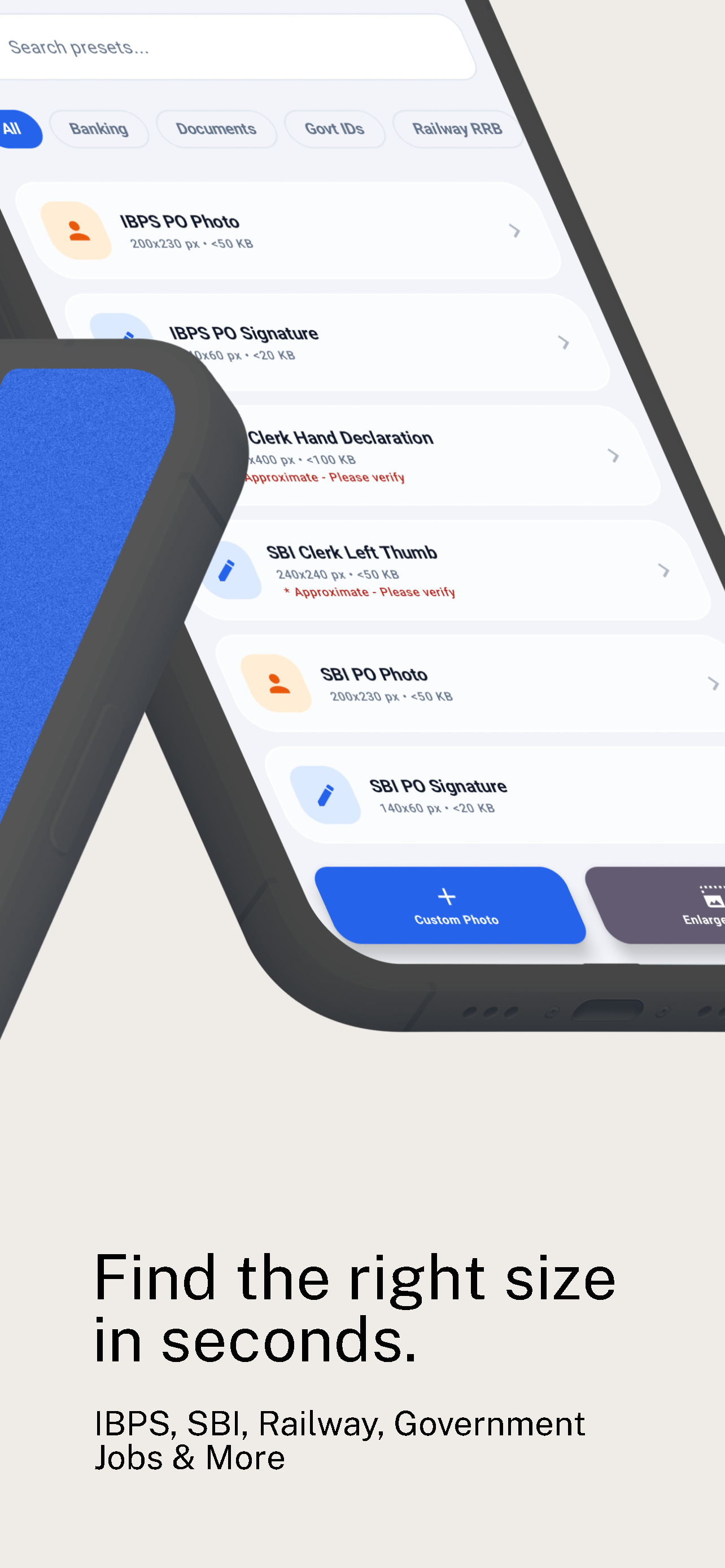
Official Presets Library
Pre-configured rules for IBPS, SBI, SSC, and State PSC.
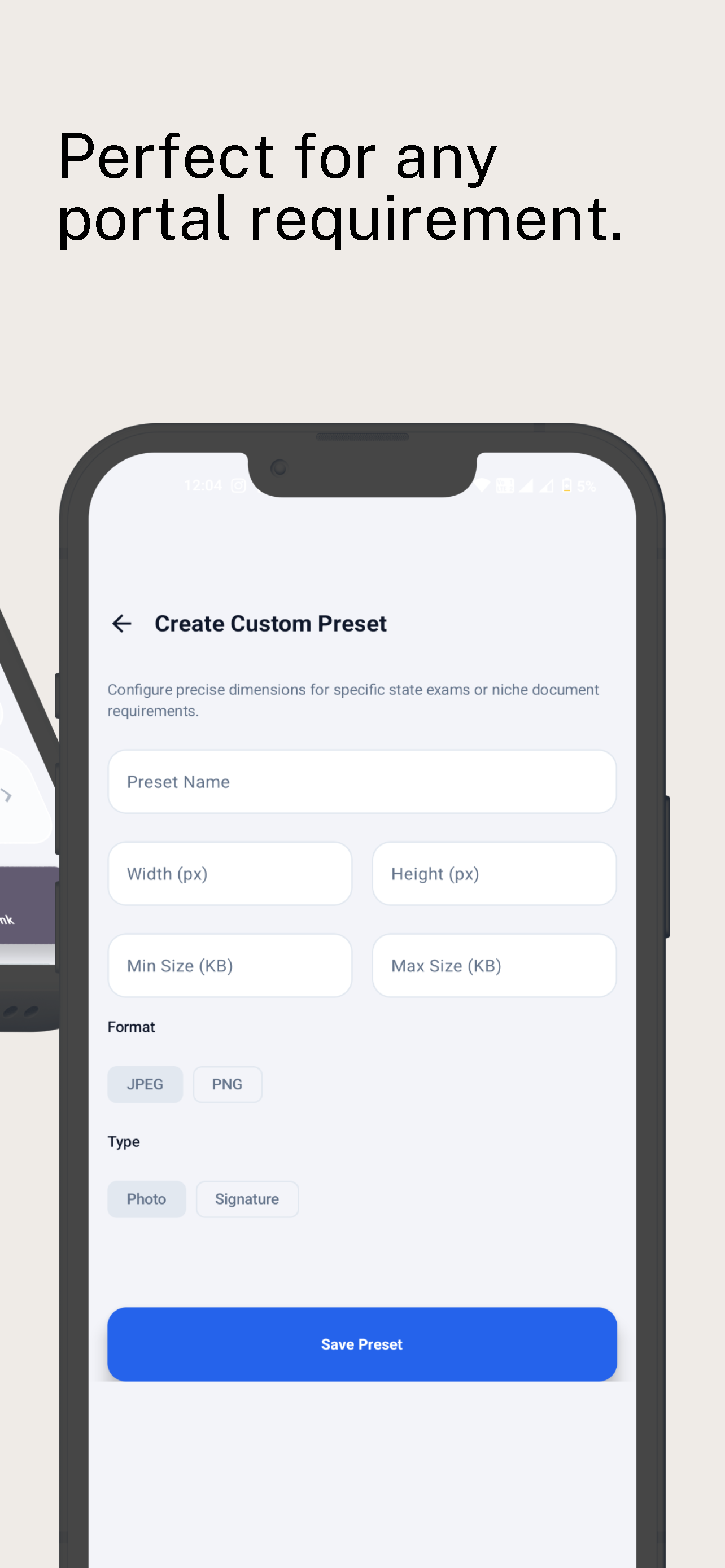
Custom Preset Creator
Dial in exact width, height, and min/max KB limits.
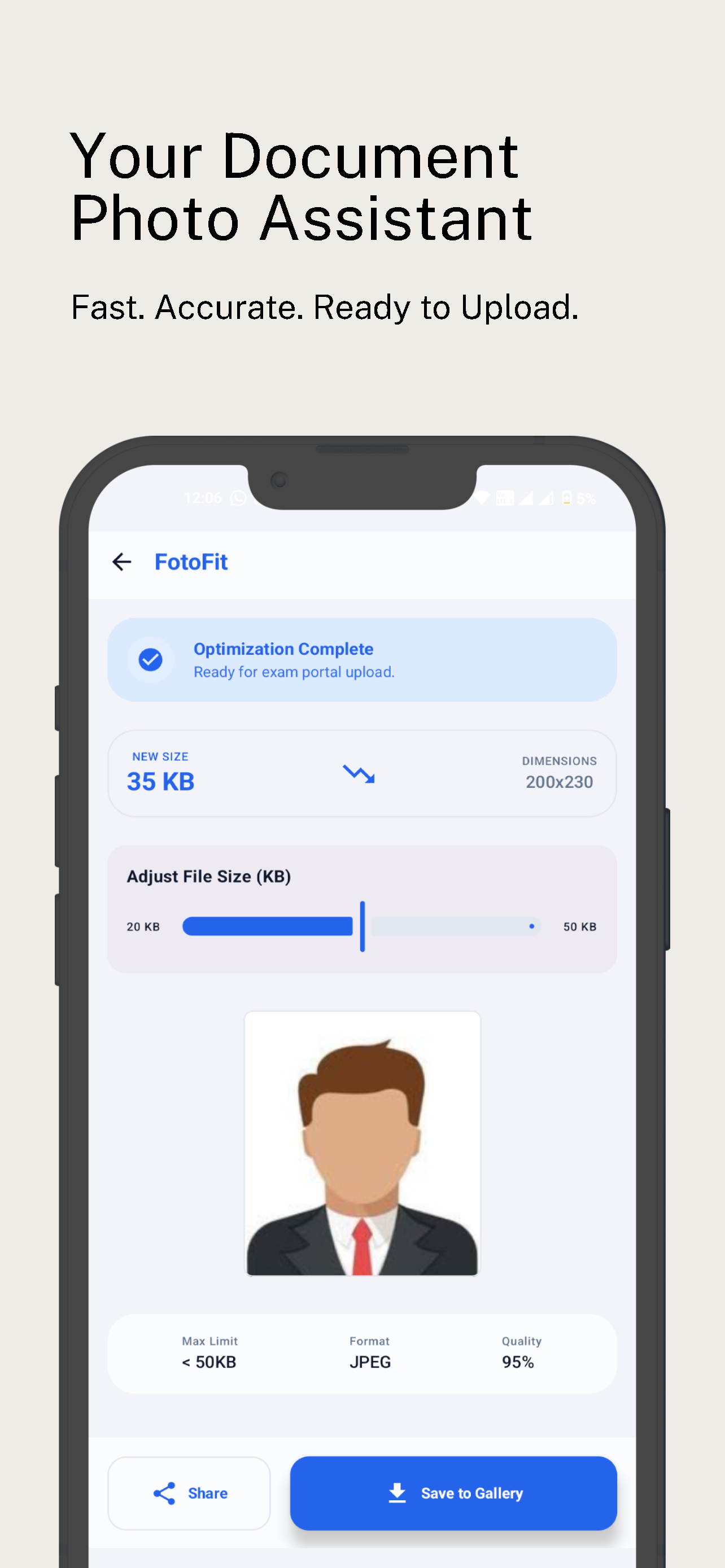
Exact KB Tuning
Fine-tune target compression before saving directly to gallery.
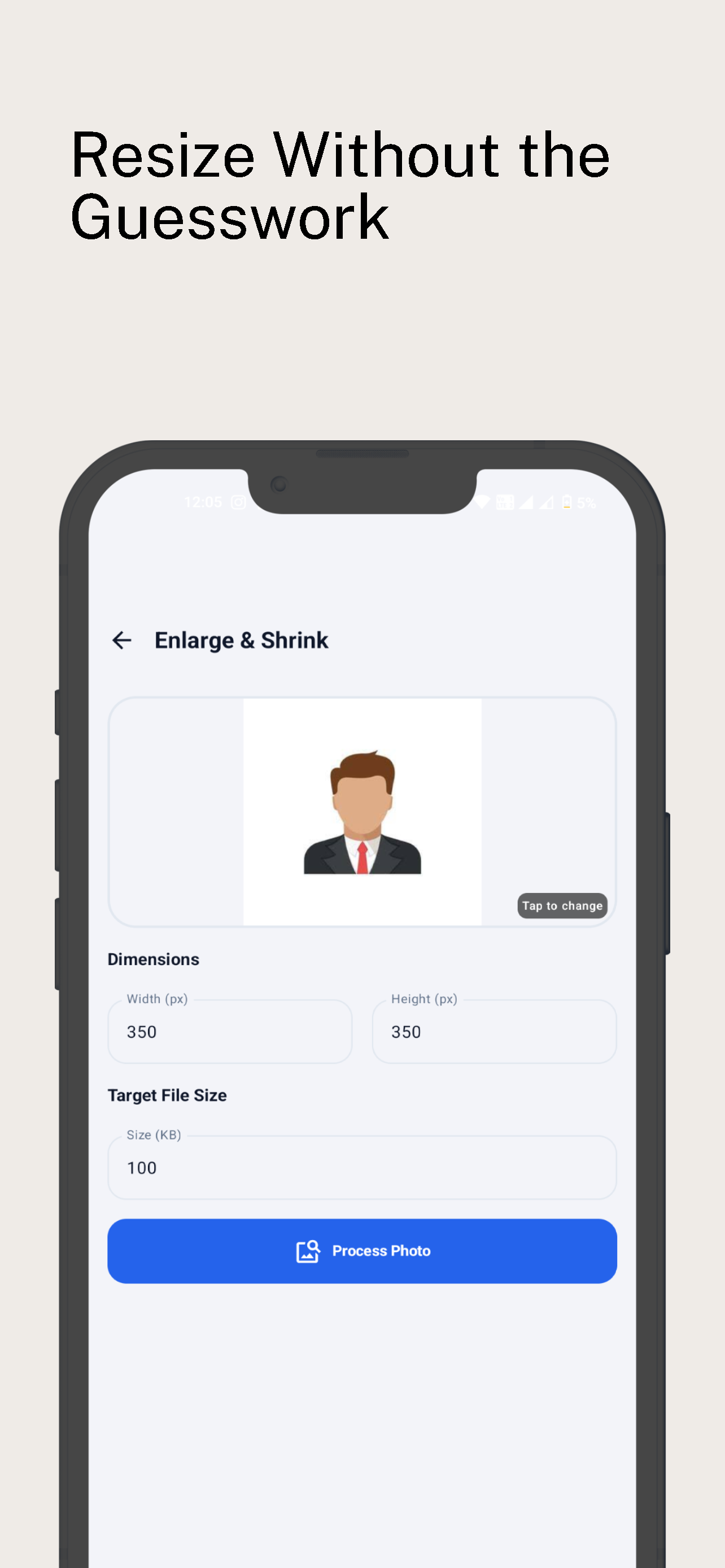
Enlarge & Shrink
Zero pixelation resizing with 1-tap processing and gallery export.
Common Questions About Exam Photo Resizing
Everything you need to know about photo dimensions, target KB compression, and portal rules.
How do I resize a photo to under 50KB for UPPSC or SSC CGL?
With FotoFit, simply select the UPPSC Photo or SSC CGL Photo preset (or set dimensions to 350×450 px / 200×230 px and target KB to 50KB). Upload your image, and FotoFit's binary search compression engine will optimize the image to strictly stay under 50KB while maintaining crisp facial features.
How can I compress my signature to under 20KB for IBPS and SBI forms?
Select the IBPS / SBI Signature preset (140×60 px) in FotoFit and ensure the target file size is set to 20KB. FotoFit sharpens black ink strokes against a pure white background and compresses the output file to between 10KB and 20KB, ensuring zero portal rejection.
Why do exam portals reject photos and how does FotoFit solve it?
Most government portals (like NIC, UPPSC, SSC, and IBPS) use automated scripts that validate three parameters: Exact Pixel Width/Height, Maximum File Size in KB, and Color Format (JPEG/JPG). If your image is even 1KB over the limit or 1 pixel off, the portal will reject it. FotoFit enforces all three constraints simultaneously, eliminating all error causes.
Is FotoFit safe? Does it store or upload my identity documents?
100% Safe and Private. Unlike other online resizers that upload your files to remote cloud servers, FotoFit processes everything locally inside your browser or device memory using HTML5 Canvas and native Android code. Your personal photos, signatures, and IDs never leave your device.
Can I use FotoFit completely offline without internet on Android?
Yes! The official FotoFit Android app is fully functional offline. You can resize, crop, and compress as many photos and signatures as you need without mobile data or Wi-Fi.
Where can I download the official FotoFit Android app?
You can download FotoFit directly from the Google Play Store at https://play.google.com/store/apps/details?id=com.FotoFit.chrgbsr. It is 100% free with no hidden charges.
Privacy Policy for FotoFit
Last Updated: October 13, 2026 • Effective Date: July 24, 2026
Privacy-First Commitment
FotoFit processes all image resizing, cropping, and KB compression strictly locally on your device. No photos, signatures, or personal images are ever uploaded, stored, or transmitted to external servers.
1. Introduction
FotoFit (“we,” “our,” or “us”) respects your privacy. This Privacy Policy explains how we collect, use, and protect your information when you use the FotoFit mobile application (the “App”) available on the Google Play Store (Package: com.FotoFit.chrgbsr), as well as our official website (https://fotofit.pages.dev/).
2. Data Collection and Usage
Photos and Images: The App requires access to your device's photo gallery or camera to function. All image cropping, resizing, dimension adjustment, and KB file size compression is performed 100% locally on your mobile device hardware. We do not upload, store, monitor, or transmit any of your photos or signatures to our servers or any third-party servers.
Storage Permissions: The App requests Read and Write Storage/Media permissions (such as READ_MEDIA_IMAGES, READ_EXTERNAL_STORAGE, and WRITE_EXTERNAL_STORAGE) solely to open the image files you explicitly select and to save the processed images back to your gallery.
3. Third-Party Services (Advertising)
While we do not collect personal data directly, the App uses third-party services that may collect information used to identify your device to serve non-intrusive advertisements.
Google AdMob: We use Google AdMob to display advertisements. Google AdMob automatically collects certain non-sensitive device information, such as your IP address, device identifiers (such as Android Advertising ID), and usage statistics to provide personalized or non-personalized ads in compliance with Google Play Developer Policies.
You can learn more about how Google uses data by visiting the official Google Privacy & Terms Site.
4. Data Security
Because all photo operations occur strictly on your local device operating system, your photos remain 100% secure and under your full control. We do not have access to any files you process using the App.
5. Children's Privacy
Our App does not knowingly collect personally identifiable information from children under 13 years of age. If you are a parent or guardian and believe your child has provided us with personal data, please contact us so we can take appropriate measures.
6. Changes to This Privacy Policy
We may update our Privacy Policy from time to time to comply with updated Google Play Console policies. We will notify users of any changes by updating the Privacy Policy on this webpage and revising the “Last Updated” date at the top of this document.
7. Contact Us
If you have any questions, feedback, or suggestions regarding this Privacy Policy or FotoFit, please feel free to reach out to us:
Itech.irag@gmail.com