Perfectly Sized Photos & Signatures for Every Application.
Stop getting rejected by portal size checks! Resize, crop, and compress your document photos to exact KB limits (e.g. <20KB, <50KB, <100KB) and pixel dimensions instantly for UPPSC, SSC, IBPS, SBI, Railway RRB, GATE & government forms.
Quick Online Photo & Signature Resizer
Test our basic image resizer right here in your browser! Resize to custom dimensions or target file sizes (KB).
Image Specifications
Drag & Drop photo here
or click to browse from device
Supports JPG, PNG, WEBPOutput Preview
Upload an image to see live compressed output preview
.png)
Want More Control & Bulk Resizing?
Get the official FotoFit Android App for offline high-speed processing, smart cropping, aspect ratio locking & custom preset saving!
Built Specially for Exam Applicants
Every tool you need to get your passport photos, left thumb impressions, and signatures accepted on the first try.
Target Size Compression
Compress any photo to an exact upper file size limit (e.g., strictly under 20KB, 50KB, or 100KB) without blurry distortion or pixelation.
Custom Dimensions
Enlarge or shrink images to precise pixel specifications (e.g., 350x450 px, 200x230 px, 140x60 px) matching portal guidelines.
Smart Aspect Ratio Cropping
Crop passport photos, signatures, and hand declarations with intuitive aspect ratio presets built right into the cropper.
Save Custom Exam Presets
Create and save custom templates for specific exams (UPPSC, SSC, IBPS, SBI, Railway RRB, Passports) for 1-tap future reuse.
100% Private & Offline
All image rendering and compression happens locally on your Android device. Your personal photos and documents are never uploaded to any server.
Instant Share & Save
Save directly to gallery in high clarity JPG/PNG formats or share straight to your online exam registration browser window.
Popular Exam Portal Requirements
FotoFit comes preloaded with official dimension and KB specifications for major government & banking exams.
Designed for Simplicity & Speed
Take a peek at FotoFit's clean, intuitive user interface on Android.
Splash & Welcome
Quickly access resizing tools designed for every form.
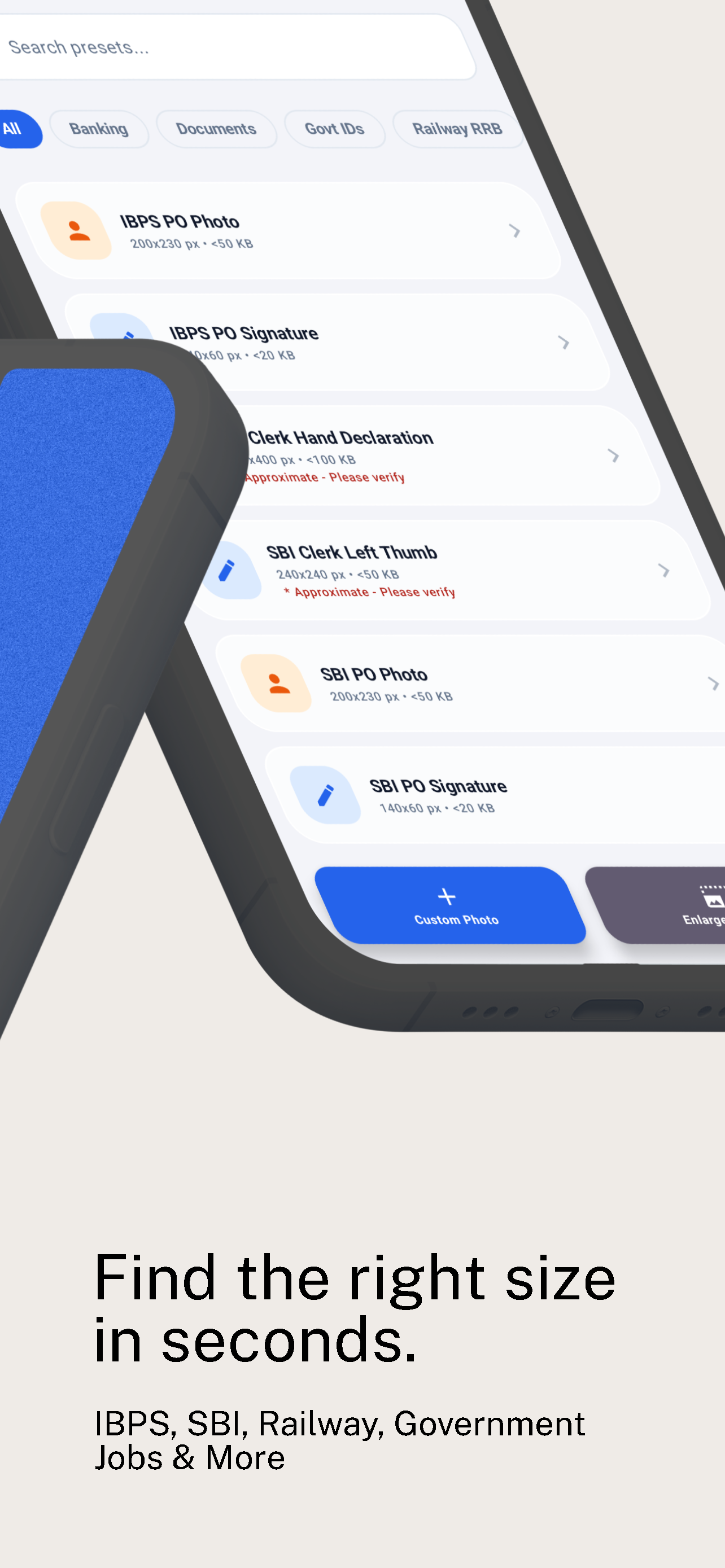
Presets Library
Select presets for IBPS, SBI, Railway RRB, and Govt jobs.
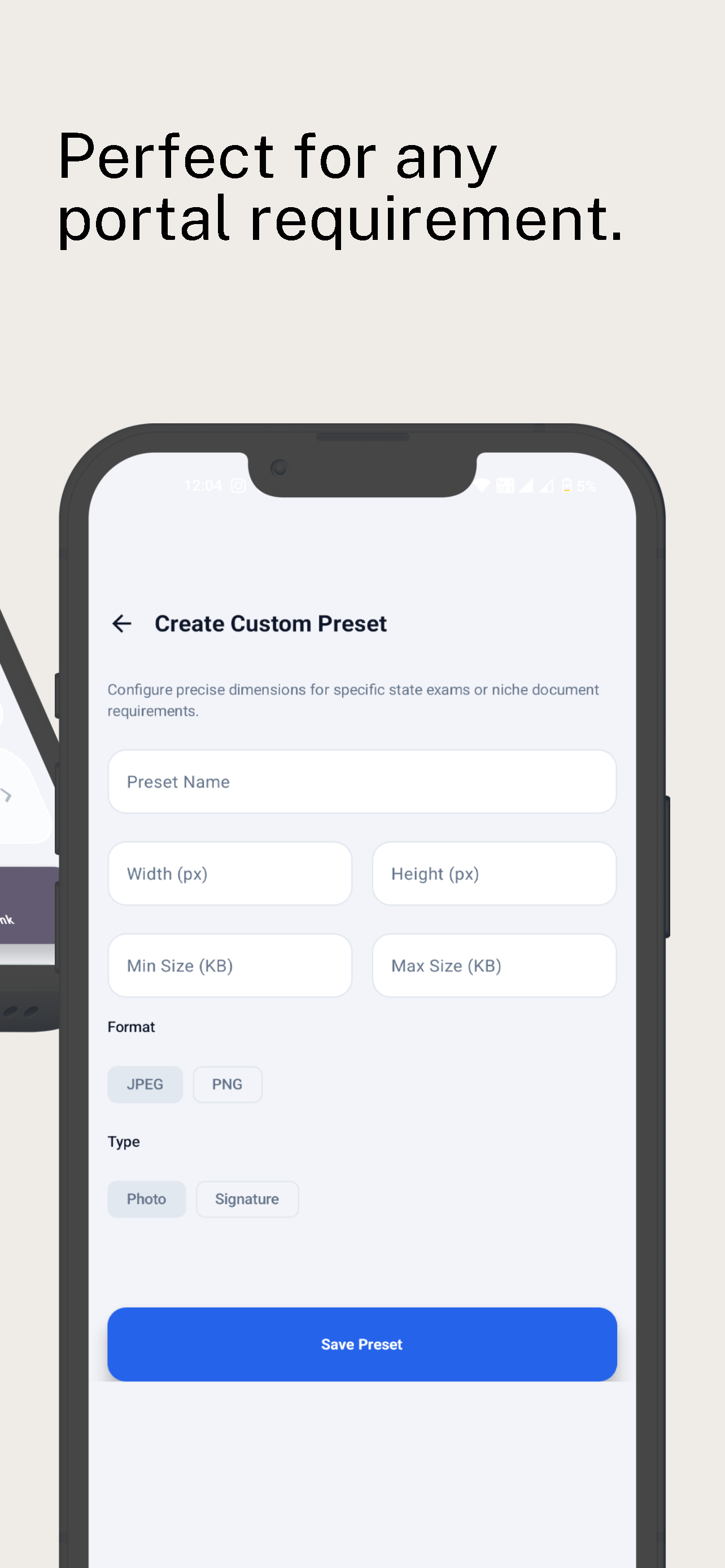
Create Custom Preset
Configure exact width, height, min size, and max size KB.
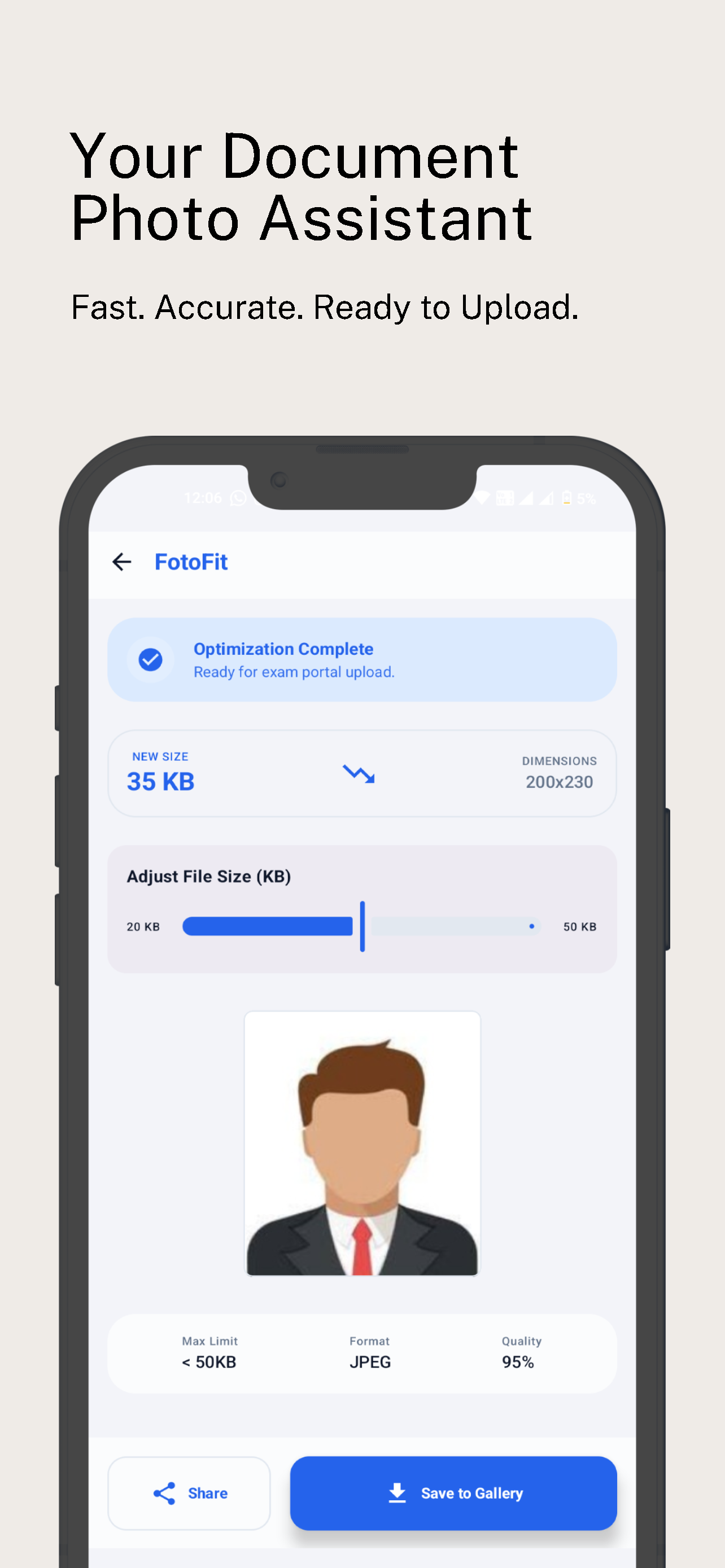
Optimization Complete
Live slider to adjust target KB file size before saving.
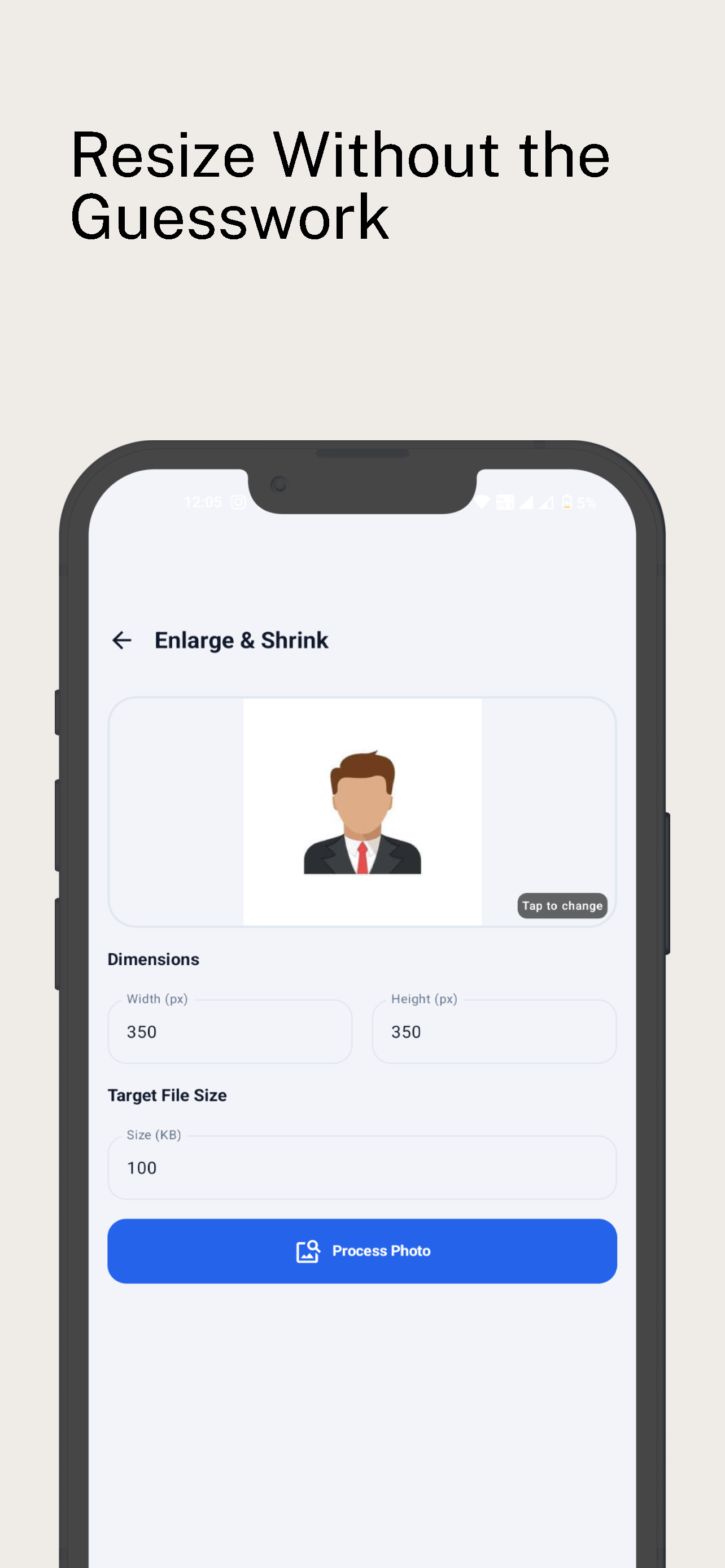
Enlarge & Shrink
Precise width/height px adjustment with 1-click processing.
Privacy-First Commitment
FotoFit processes all image resizing, cropping, and KB compression strictly locally on your device. No photos, signatures, or personal images are ever uploaded, stored, or transmitted to external servers.
1. Introduction
FotoFit ("we," "our," or "us") respects your privacy. This Privacy Policy explains how we collect, use, and protect your information when you use the FotoFit mobile application (the "App") available on the Google Play Store, as well as our official website.
2. Data Collection and Usage
Photos and Images: The App requires access to your device's photo gallery or camera to function. All image cropping, resizing, dimension adjustment, and KB file size compression is performed 100% locally on your mobile device hardware. We do not upload, store, monitor, or transmit any of your photos or signatures to our servers or any third-party servers.
Storage Permissions: The App requests Read and Write Storage/Media permissions (such as READ_MEDIA_IMAGES / READ_EXTERNAL_STORAGE / WRITE_EXTERNAL_STORAGE) solely to open the image files you explicitly select and to save the processed images back to your gallery.
3. Third-Party Services (Advertising)
While we do not collect personal data directly, the App uses third-party services that may collect information used to identify your device to serve non-intrusive advertisements.
Google AdMob: We use Google AdMob to display advertisements. Google AdMob automatically collects certain non-sensitive device information, such as your IP address, device identifiers (such as Android Advertising ID), and usage statistics to provide personalized or non-personalized ads in compliance with Google Play Developer Policies.
You can learn more about how Google uses data by visiting the official Google Privacy & Terms Site.
4. Data Security
Because all photo operations occur strictly on your local device operating system, your photos remain 100% secure and under your full control. We do not have access to any files you process using the App.
5. Children's Privacy
Our App does not knowingly collect personally identifiable information from children under 13 years of age. If you are a parent or guardian and believe your child has provided us with personal data, please contact us so we can take appropriate measures.
6. Changes to This Privacy Policy
We may update our Privacy Policy from time to time to comply with updated Google Play Console policies. We will notify users of any changes by updating the Privacy Policy on this webpage and revising the "Last Updated" date at the top of this document.
7. Contact Us
If you have any questions, feedback, or suggestions regarding this Privacy Policy or FotoFit, please feel free to reach out to us:
Itech.irag@gmail.com